Downloads for Pico-LCD, M200-LCD and M300-LCD

The USB LCD supplied with the M200-LCD and M300-LCD is an intelligent 2x20 character USB LCD display module with InfraRed receiver and keypad interface. This USB LCD display device is a true USB HID device (not serial or parallel port to USB emulated) supporting high speed data transfers and easy application development without any special drivers needed.

The USB LCD has a built in 8x5 dots ASCII character font with 8 used definable characters and provides 8 GPO (General Purpose Output) pins. Internal EEPROM allows firmware upgrading and splash screen definition. On power on the LCD is able to show up to 10 user defined splash screns with custom timing, order and led/gpo status.

Pico-LCD 20x2 USB LCD Panel
Pico-LCD 20x4 External USB Display
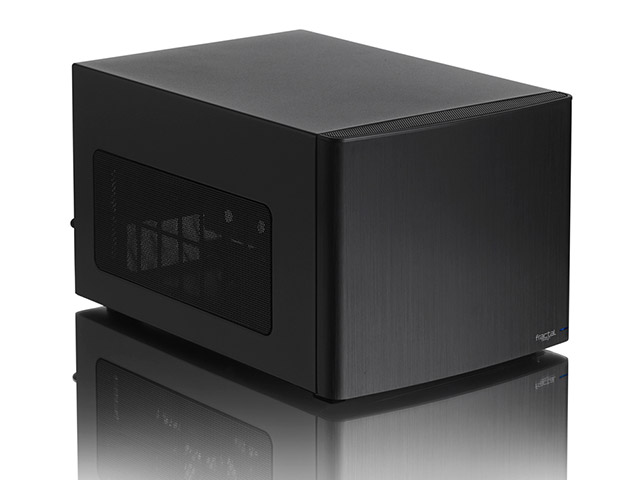
M200-LCD Mini-ITX Case with LCD Panel
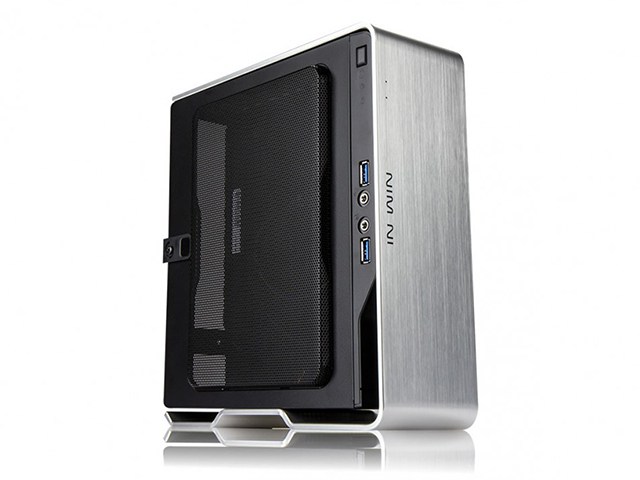
M200-LCD Mini-ITX Case with LCD Panel and PCI Support

20x2 Displays: Documentation

Generic documentation

Hardware installation guide

Download

Firmware update guide

Download

Bootloader hardware programmer guide

Download

20x2 Displays: Windows documentation

Usb LCD software guide

Download

Software developer guide

Download

WinAmp PlugIn Readme

Download

20x2 Displays: Linux documentation

Writing linux software using libusblcd SDK

Download

Using usblcd linux client

Download

20x2 Displays: Software Downloads

20x2 Displays: Windows Software

Windows Vista SideShow drivers
Windows Vista driver which adds support for Sideshow gadgets.

picoLCD software suite
Windows software suite including a TCP Server with GUI client LCD application, a command line application and an utility to update the firmware.

picoLCD Windows SDK
Windows source code for GUI client and the TCP server.

20x2 Displays: Linux Software

Linux version doesn't require any extra kernel module (just usb host drivers support) entire LCD can be controlled from userspace thru libusb.

picoLCD can be used on linux with the following software:

  • LCD4Linux: download here or a precompiled binary with configuration for picoLCD: here
  • LCDProc with keypad support: Available in latest CVS from lcdproc homepage or here. An archive of the sources is available here. LCDProc with picoLCD patch is also available in latest Gentoo ebuilds repositories.
  • picoLCD OEM SDK: see below for download options

Application and SDK library in binary format (generic Linux)
usblcd-bin-0.1.4.tgz

Application and SDK library in binary format rpm distribution (Fedora Core)
usblcd-0.1.4-1.i386.rpm

Application and SDK library in binary format for iMedia Linux distribution
usblcd.0.1.4.minibox.i386.imp

Source code for the application and SDK library
usblcd-src-0.1.4.tgz

Examples of using linux client from BASH scripts
Free Hard Drive Space Monitor
Idle CPU Monitor
CPU Temperature, Fans RPM, Network traffic (for VIA mini-itx mainboards)

Examples of custom character icons
Earth Globe 8 chars icon
Letter 8 chars icon

20x4 Displays

20x4 Displays: Windows Drivers

Windows Vista 32 bits driver v. 1.0.0.8

Windows XP 32 bits v. 1.0.0.2

Windows XP 32 bits (Source Code) v. 1.0.0.2

20x4 Displays: Linux Drivers

Ubuntu 9.04 Linux v. 0.5.3-1

Linux Pre-Compiled Executable v. 0.5.2

Linux (Source Code) v. 0.5.2

Don't see what you want here? Send us an email with as much information as possible, and we'll try and get it for you.


Reckoner

Cards accepted directly:
Additionally with PayPal:

Send us an email! (but send store enquiries here) -- How to submit your project -- Email the Mini-ITX Store

All content on this site is Copyright © 2002-2010 Mini-ITX.com and respective owners, all rights reserved.
This website is larger than it looks - offline browsing is not fair use!

Click here to enter the online store

Visit our friends at the Vancouver Printing Company